Ringtone Maker: Music & Audio
Publisher Description


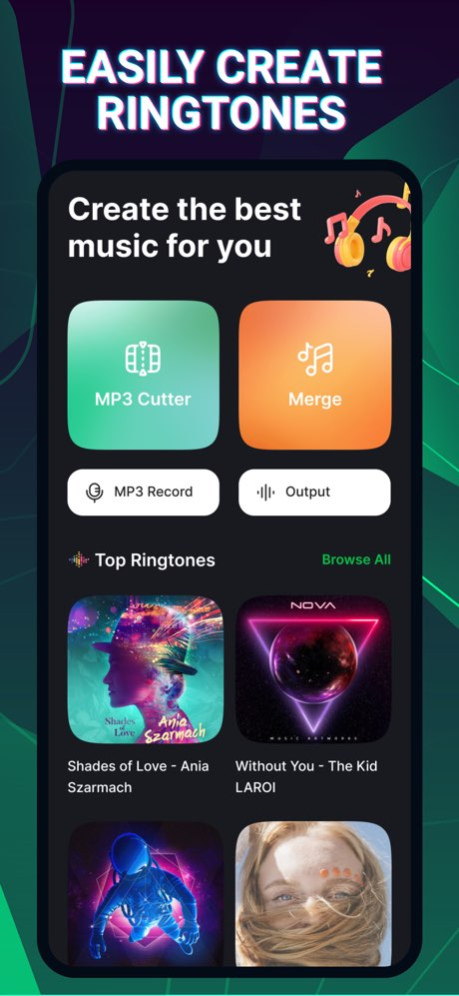

Ringtone Maker: Music & Audio
Transform your audio, music, sound experience with ringtone, the powerful ringtone app that combines an MP3 cutter, ringtone maker, and audio editor in one!
Whether you're creating a mp3 ringtone, trimming mp3 music, or merging audio, Ringtone cutter simplifies the process for your best ringtone
Core Highlights
- Create Custom Ringtones: Use sound cutter to trim your favorite songs to make unique ringtones for calls, alarms, or notifications by using cutter feature,
- Merge and Mix mp3 ringtone: Easily use cutter and combine tracks, layer sounds, add effects (fade in, fade out, boost volumn)
- Convert mp3 ringtone to multilple platforms: Extract audio from videos and save them as high-quality MP3 ringtone
- Personalize Your Sounds: Edit song name, apply fade in, fade out effects, and adjust volume audio (enhance volumn)
- Save & Share: Save your sound, audio with multiples platforms (WAV, OGG, MP3, FLAC, AAC) and Share with friends or save audio to your device
Key Features for Sound editor:
1. MP3 Cutter: Cut songs at millisecond precision to craft perfect ringtones
2. Audio Mixer: Blend multiple tracks to create mashups
3. Volume Booster: Enhance audio quality and amplify your tunes and mp3 sounds
4. Video to Files Converter: Extract sound, soundtracks, mp3 from your favorite video, song, music
5. Customization song options: Add fade effects, edit tags, and personalize ringtones for contacts
Why Editor Should Try
- Create ringtones for each contact and event (Ringtone, Alarm, Notification)
- Boost sound quality with advanced audio tools
- Enjoy a fast, easy-to-use interface designed for ringtones editor
Why Choose Ringtone Maker: Music & Audio
- Effortless Personalization: Reflect your unique style with every ringtone, every sound, every audio, every music
- Endless Possibilities: Turn songs, sound effects, music or recorded clips into creative sounds and audio
- User Friendly Interface: Intuitive and simple to use ringtone app for everyone
- Save Storage: Create multiple platforms (audio, music, ringtone, sound) instead of saving full-length songs
Download Ringtone Maker: Music & Audio now to try trimming your song, music, video and use your creativity to create favourite ringtone for each usage (Mobile ringtone, Notification, Alarm)
About Ringtone Maker: Music & Audio
The company that develops Ringtone Maker: Music & Audio is QSOFT INFORMATION AND COMMUNICATION TECHNOLOGY SOLUTIONS COMPANY LIMITED. The latest version released by its developer is 1.0 .
To install Ringtone Maker: Music & Audio on your iOS device, just click the green Continue To App button above to start the installation process. The app is listed on our website since 2026-10-06 and was downloaded 0 times. We have already checked if the download link is safe, however for your own protection we recommend that you scan the downloaded app with your antivirus. Your antivirus may detect the Ringtone Maker: Music & Audio as malware if the download link is broken.
How to install Ringtone Maker: Music & Audio on your iOS device:
- Click on the Continue To App button on our website. This will redirect you to the App Store.
- Once the Ringtone Maker: Music & Audio is shown in the iTunes listing of your iOS device, you can start its download and installation. Tap on the GET button to the right of the app to start downloading it.
- If you are not logged-in the iOS appstore app, you'll be prompted for your your Apple ID and/or password.
- After Ringtone Maker: Music & Audio is downloaded, you'll see an INSTALL button to the right. Tap on it to start the actual installation of the iOS app.
- Once installation is finished you can tap on the OPEN button to start it. Its icon will also be added to your device home screen.
